How to Fix Green and Cloudy Aquarium Water
Waking up to find your aquarium transformed into murky “pea soup” water triggers instant panic. That sudden green, cloudy appearance isn’t just an eyesore—it’s your tank screaming for help. When aquarium water turns green and cloudy, it means microscopic algae are running wild, suffocating plants and stressing fish. But here’s the good news: this is one of the most common and solvable aquarium problems. You’ll learn exactly why your water turned green and cloudy, how to clear it in 72 hours using our blackout protocol, and crucially—how to prevent it from ever returning through precise nutrient control.
Unlike harmless bacterial blooms in new tanks, green water stems from a phytoplankton explosion where trillions of free-floating algae thrive in nutrient-rich, light-saturated conditions. Left unchecked, this algae bloom blocks light for plants and depletes oxygen at night. The fix isn’t complicated, but it requires attacking both the symptom (the visible algae) and the root cause (nutrient imbalance). In this guide, you’ll get step-by-step protocols tested by professional aquarists—including the exact blackout timing, filtration upgrades, and UV sterilizer settings that deliver crystal-clear water fast.
Why Your Tank Suddenly Has Green and Cloudy Water (Not Bacterial Bloom)
Green and cloudy aquarium water means phytoplankton are multiplying out of control—unlike the white cloudiness of new tank bacterial blooms. This distinct pea-soup appearance happens when three conditions align: excessive light, nutrient overload, and inadequate filtration. Your tank isn’t “dirty”; it’s signaling an ecosystem imbalance where algae outcompete your plants for resources.
How Sunlight and Overlighting Trigger Algae Explosions
Direct sunlight hitting your tank for just 2 hours daily provides enough energy for algae to double every 24 hours. Even artificial lighting becomes problematic when exceeding 8 hours daily—especially with high-intensity LEDs. If your aquarium water turns green and cloudy within days of moving the tank near a window or adding brighter bulbs, light is the primary culprit. The solution? Immediate relocation away from windows and strict 6-8 hour photoperiods using a timer.
Nutrient Overload: The Hidden Algae Fuel Source
Excess nitrates and phosphates from overfeeding or decaying matter act as algae rocket fuel. One uneaten flake of fish food releases enough nutrients to feed millions of algae cells. Test your water: if nitrates exceed 20 ppm or phosphates top 0.5 ppm, you’ve found the root cause. This nutrient surge often follows events like overstocking new fish, excessive fertilizing in planted tanks, or skipping weekly gravel vacuuming.
Immediate Blackout Treatment: Starve Algae in 3 Days

The fastest way to clear green and cloudy aquarium water is a 72-hour total blackout. This starves phytoplankton by cutting their photosynthesis cycle—no light means no reproduction. Unlike water changes that temporarily clear water (only for algae to rebound), blackout treatment addresses the core problem.
Step 1: Complete Darkness Protocol (Critical Details)
Cover your tank with opaque materials like moving blankets or cardboard—no light gaps allowed. Even brief exposure reactivates algae. During this period:
– Do not feed fish (they survive 3 days easily)
– Turn off all tank lights and room lights
– Avoid checking progress (openings let in light)
– Maintain normal filtration (do not stop pumps)
Step 2: Post-Blackout Water Change Sequence
After 72 hours, perform a 50-70% water change using dechlorinated, temperature-matched water. Key steps:
1. Vacuum substrate thoroughly to remove dead algae and detritus
2. Replace water slowly to avoid disturbing fish
3. Clean filter media in removed tank water (never tap water)
4. Wait 24 hours before resuming normal feeding
This one-two punch typically clears green water within 4 days. If cloudiness persists, move immediately to UV sterilization.
Fix Excess Light: The #1 Cause of Green Water
Light management is non-negotiable for clear aquarium water. Direct sunlight provides 10x more energy than aquarium lights—making it the top trigger for green and cloudy water. Even indirect window light can fuel algae if your tank faces east or west.
Relocate Your Tank Away from Sunlight (Do This Now)
Move your aquarium at least 5 feet from windows. If relocation isn’t possible:
– Install blackout curtains on adjacent windows
– Position tank perpendicular to windows (not facing them)
– Add floating plants like water lettuce to block 50% of light
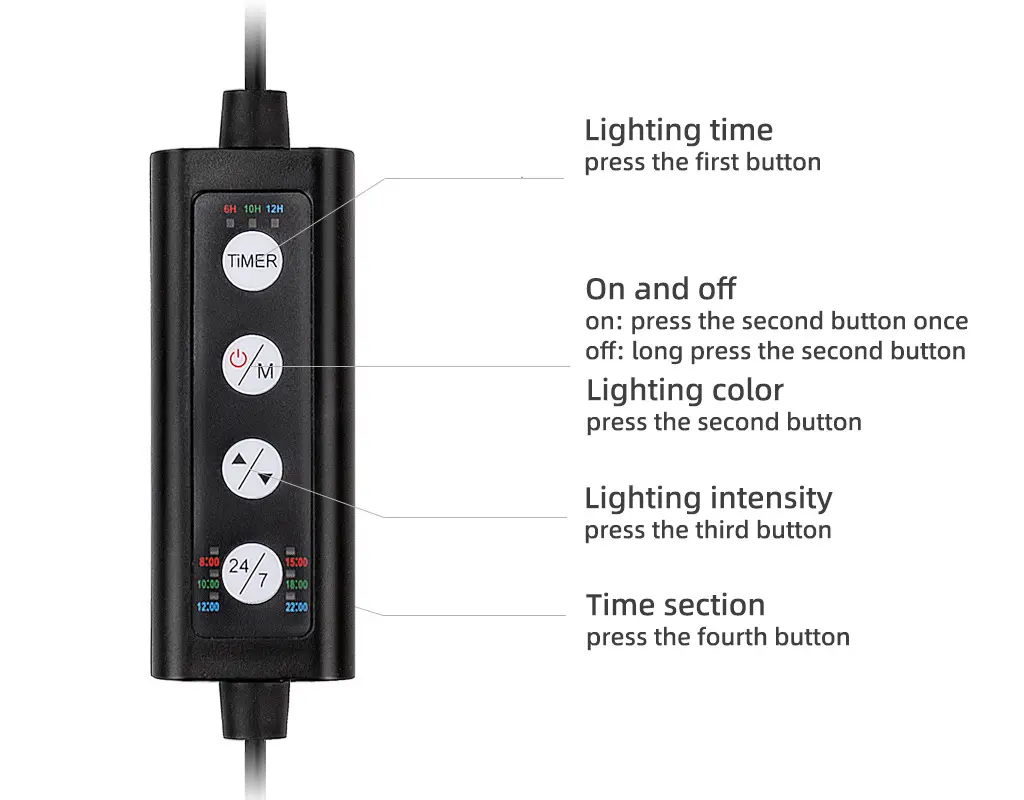
Optimal Lighting Schedule: 6 Hours Is the Sweet Spot
Set your timer for exactly 6 hours daily—no exceptions. Use this sequence:
1. 1 hour: Low-intensity “dawn” setting
2. 4 hours: Medium intensity for plant growth
3. 1 hour: Low-intensity “dusk” setting
Avoid blue moonlight modes at night—they extend photoperiod unintentionally.
Control Nutrient Overload: Starve Algae Permanently
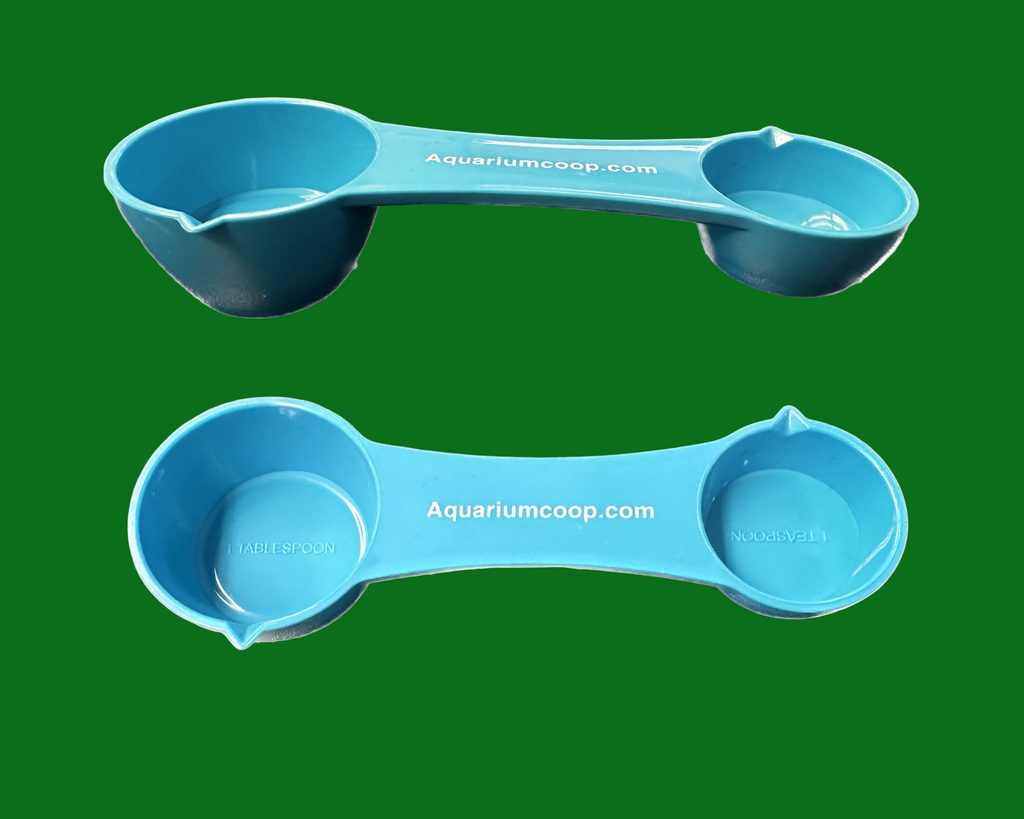
Overfeeding is the #1 cause of nutrient overload. Fish need only what they consume in 2 minutes once daily—excess food decays into algae fuel. Implement these non-negotiable practices:
The 2-Minute Feeding Rule That Stops Green Water
Measure food precisely: one pinch per 2 inches of fish. Watch closely and remove uneaten food after 2 minutes. For example:
– 10-inch fish = 5 pinches max
– Skip feeding entirely one day weekly
– Use sinking pellets instead of flakes to reduce waste
Weekly Gravel Vacuuming: Remove Hidden Algae Fuel
Vacuum 30% of substrate weekly using a gravel tube. Focus on:
– Under decorations where waste accumulates
– Behind filter intakes
– Corners with low flow
This removes decaying matter before it breaks into nitrates and phosphates.
UV Sterilizers: The Nuclear Option for Stubborn Blooms
When blackout treatments fail, install a UV sterilizer—it’s the only guaranteed fix for persistent green and cloudy aquarium water. UV-C light shatters algae DNA as water passes through the unit, killing cells instantly.
How to Size Your UV Sterilizer Correctly
Choose based on tank volume and flow rate:
– 5 watts: 10-20 gallon tanks
– 8 watts: 20-40 gallon tanks
– 10+ watts: 40+ gallon tanks
Run continuously during outbreaks, then 8 hours daily for prevention. Position after mechanical filtration so clean water enters the UV chamber.
Long-Term Prevention: Keep Water Crystal Clear
Preventing green water requires consistent maintenance—not one-time fixes. Implement this weekly routine:
The Algae-Proof Weekly Maintenance Checklist
- Monday: Test nitrates (keep <20 ppm) and phosphates (<0.5 ppm)
- Wednesday: 25% water change + gravel vacuum
- Friday: Clean filter pre-sponge in tank water
- Daily: Feed once (2-minute rule), check light timer
Floating Plants: Nature’s Algae Competitors
Add fast-growing floaters like frogbit or water sprite. They:
– Block 30-50% of surface light
– Absorb excess nitrates 5x faster than rooted plants
– Provide fish cover while outcompeting algae
Special Cases: Green Water in Planted and Shrimp Tanks
Planted tanks need extra care—overfertilizing causes green water even with low light. Shrimp tanks require chemical-free solutions to avoid killing delicate invertebrates.
CO2 and Fertilizer Adjustments for Planted Tanks
Reduce liquid carbon by 50% during outbreaks. For Estimative Index dosing:
– Cut nitrogen/phosphorus doses to 1/4 strength
– Increase potassium to maintain plant health
– Add hornwort as a “nutrient sponge”
UV Safety for Shrimp and Scaleless Fish
Run UV sterilizers at half power for sensitive tanks. Always:
– Shield the unit with black tape to block visible light
– Position outlet away from shrimp zones
– Monitor behavior for 24 hours after installation
When to Seek Professional Help
If green and cloudy aquarium water persists after three blackout cycles and UV treatment, you likely have:
– Tap water with high phosphates (test before water changes)
– Decaying root systems in planted tanks
– Overstocked fish exceeding tank capacity
Contact a local aquarium specialist for water testing. Persistent green water often indicates underlying issues like pipe corrosion or fertilizer runoff in municipal water—problems requiring professional diagnosis.
Final Note: Clearing green and cloudy aquarium water requires attacking both symptoms and root causes. Implement the 72-hour blackout immediately, then lock in prevention through lighting control, strict feeding, and weekly maintenance. Within one week, your tank will transform from pea-soup murk to crystal clarity. Remember—green water isn’t a failure; it’s your ecosystem’s way of requesting balance. By following these protocols, you’ll achieve not just clear water, but a thriving, resilient aquarium that stays algae-free for months. Start your blackout tonight, and by Friday, you’ll see the difference.